

I received the email below this morning, and at first glance it looked fairly convincing. It used the IRS logo, included an official-sounding reference number and told me that an important tax document was waiting.
Fortunately, a closer look revealed several clear signs that it was a phishing email. I thought I would share it—not only as a warning about this particular message, but also as a quick guide to spotting similar scams before they catch you off guard.
The first thing to know: The IRS says it does not unexpectedly initiate contact with taxpayers by email. Most official contact begins with a letter sent through regular mail.
Here is the complete email I received
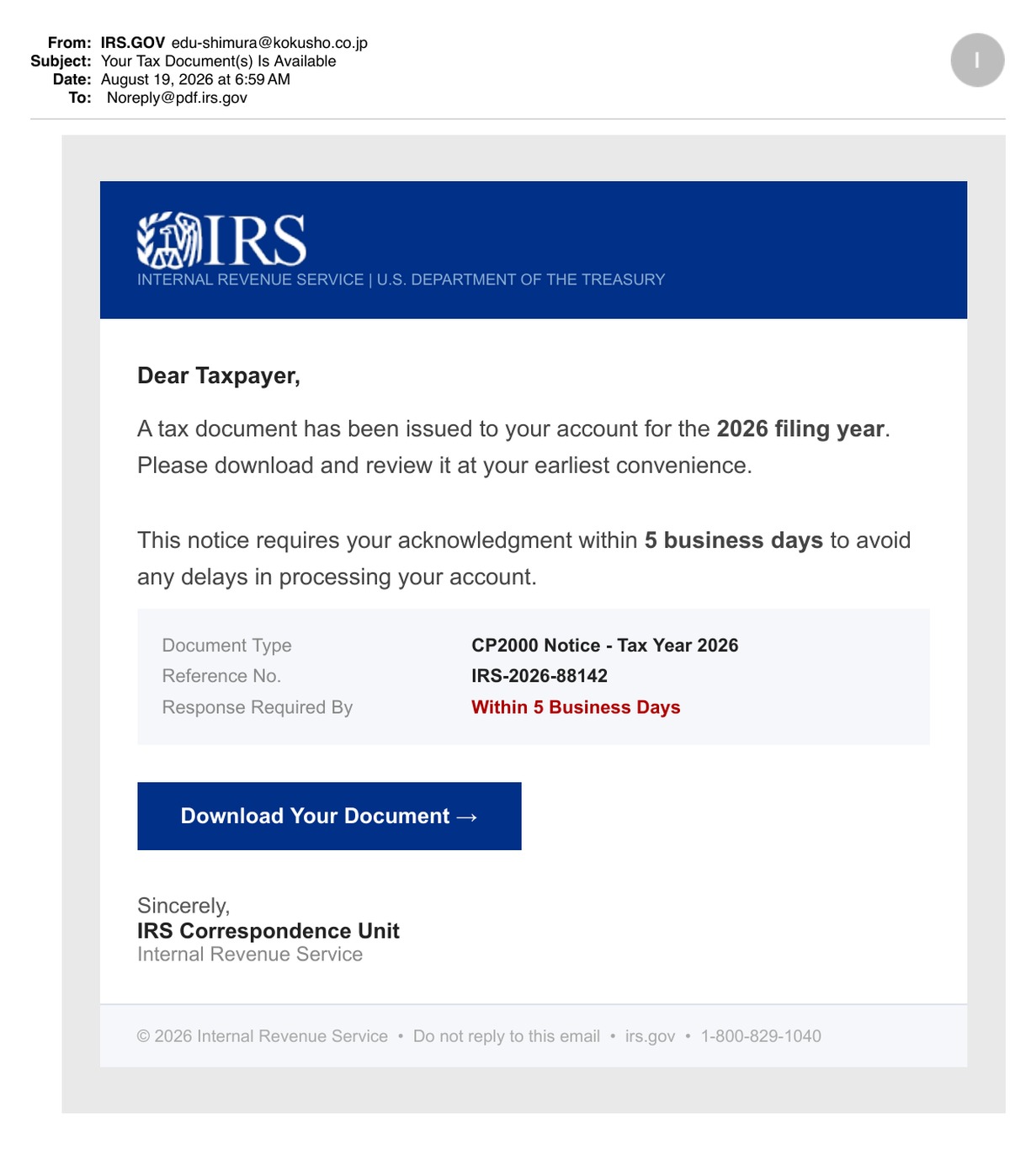
Let’s break down the warning signs
Some of the clues are easy to miss when looking at the complete message, so I enlarged the most important sections below.
1. Take a closer look at the sender
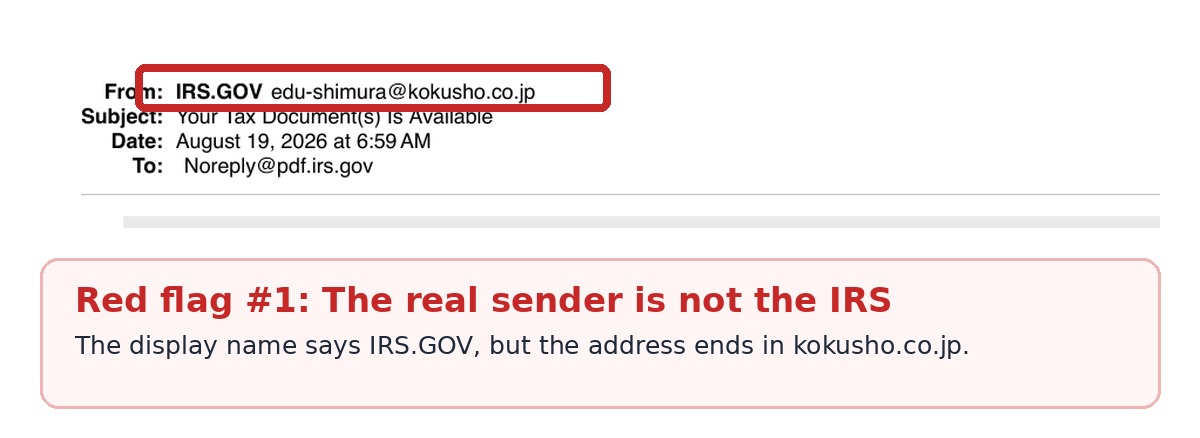
The sender name says “IRS.GOV,” which is what the scammer wants you to notice. But when you look at the full address, the email actually came from [email protected]. That domain has nothing to do with the IRS or the U.S. government.
The name shown in your inbox can easily be changed or faked, so always check the complete email address—not just the friendly-looking display name.
2. Check where the button really goes
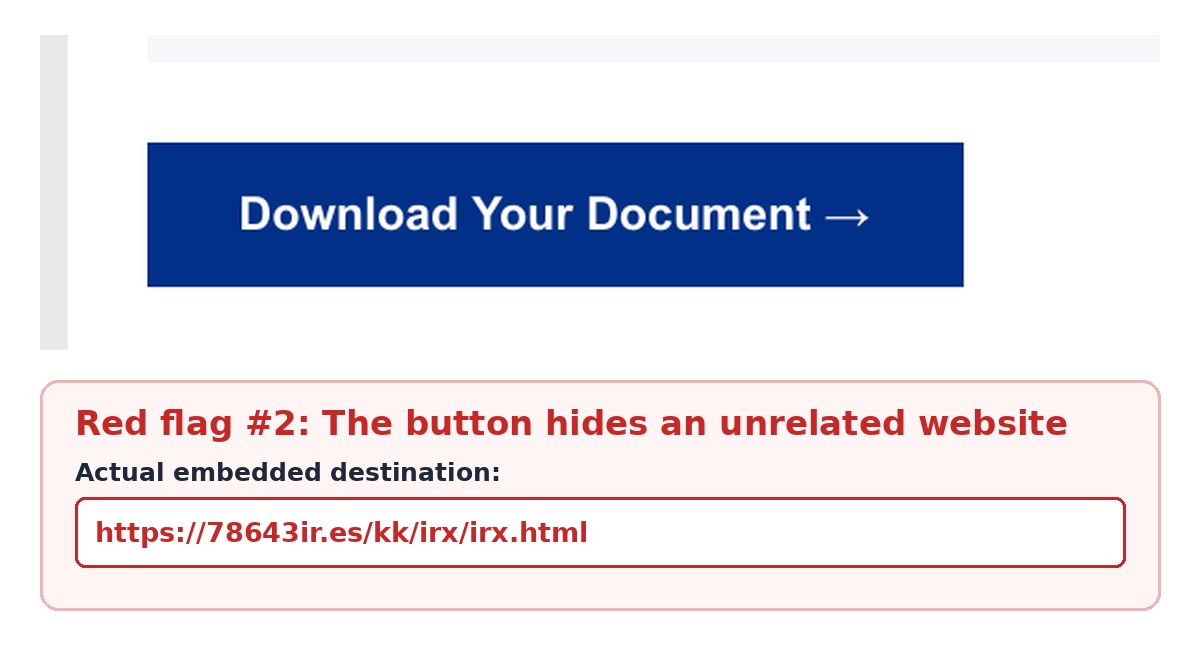
The large blue button looks official, but it is programmed to open 78643ir.es—not IRS.gov. Scammers commonly hide questionable web addresses behind reassuring words such as “Download,” “Review” or “Sign In.”
Before clicking a link, hover over it with your mouse to preview the destination. On a phone or tablet, press and hold the link without opening it. If the address looks odd, do not take the chance.
For anything involving taxes, banking or another sensitive account, it is safer to open a new browser window and type the known website address yourself.
3. Notice how it tries to rush you
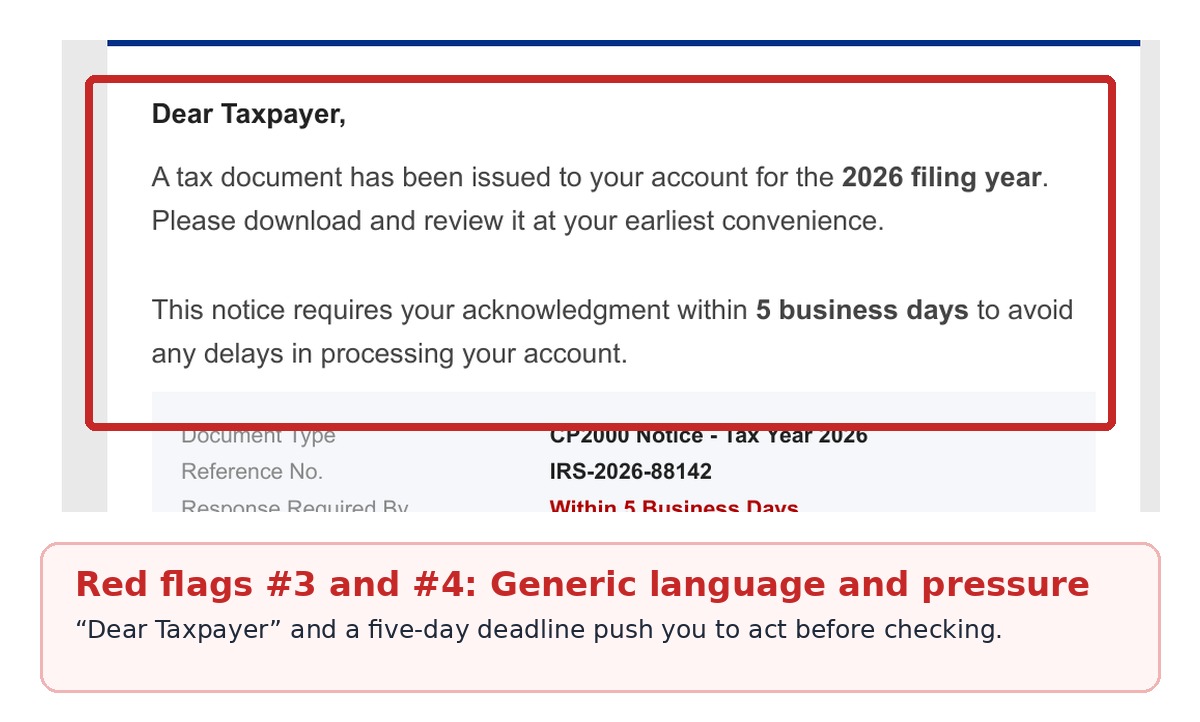
Phishing emails often try to make you worried enough to act before you have time to think. This one says I must respond within five business days or risk delays with my account.
- “Dear Taxpayer” is generic and does not identify me by name.
- “Within 5 Business Days” creates a false sense of urgency.
- The reference number and IRS logo look impressive, but both are easy to copy or invent.
- The awkward subject line—“Your Tax Document(s) Is Available”—is another small clue that something is off.
What should you do if you receive one?
- Do not reply, click any buttons or open attachments.
- Save the original email and forward it as an attachment to [email protected]. Use “IRS” as the subject line.
- If you are concerned there might really be a problem, visit IRS.gov directly or contact your trusted tax professional.
- Once you have reported it, delete the email.
If you already clicked the link and entered personal or financial information, change any affected passwords right away and follow the IRS identity-protection guidance.
These scams keep getting more polished, so even careful people can be caught off guard. Taking a few extra seconds to check the sender and preview a link can make all the difference.
A simple rule to remember: Stop, take a closer look and verify the message independently before clicking.
Leave a Reply